
























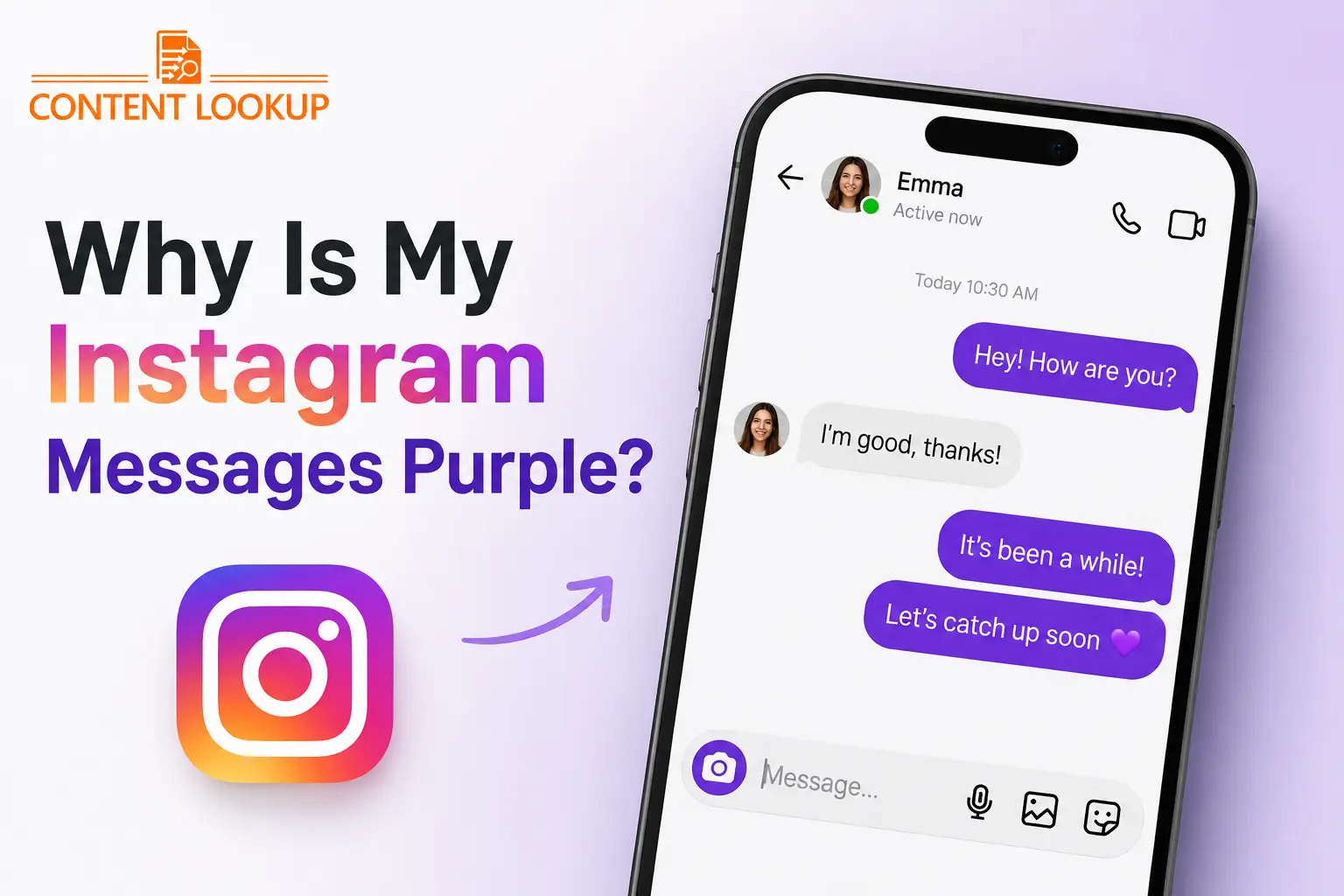
Have you opened Instagram and suddenly noticed that your Direct Messages look purple, pink, blue, or like a purple-blue gradient instead of the usual chat colors? If so, you are probably wondering, “Why are my Instagram messages purple?”
The good news is that purple Instagram messages are usually not a sign that your account has been hacked, restricted, blocked, or compromised. In most cases, the color is connected to Instagram’s chat themes, messaging interface updates, or specific messaging features.
Instagram has continuously expanded its messaging experience with customizable themes, gradients, reactions, disappearing messages, and other features. As a result, the appearance of your DMs can differ from what you were used to.
This guide explains what purple Instagram messages mean, why they appear, how to change them, whether they are related to Vanish Mode or Messenger, and what you should do if the color changes unexpectedly.
Why Are My Instagram Messages Purple?
Your Instagram messages are most likely purple because a chat theme or Instagram’s updated messaging design is using a purple or purple-blue gradient.
The theme can be selected by you or the other person in the conversation, and Instagram can also change the appearance of its messaging interface as new features are rolled out. A purple DM does not normally mean that you have been blocked, restricted, hacked, or reported. The color is primarily a visual customization or interface feature.
What Does a Purple Instagram DM Usually Mean?
| What you see | Most likely explanation | Should you worry? |
|---|---|---|
| Purple message bubbles | A purple/gradient chat theme | No |
| Purple and blue messages | Gradient or updated messaging design | No |
| One conversation is purple | That individual chat has a different theme | No |
| All chats suddenly look different | Instagram interface update or rollout | Usually no |
| Purple chat with disappearing messages | A special messaging mode may be active | Check the message behavior |
| Purple appearance after an update | New Instagram UI or feature rollout | Usually no |
What Is a Purple Instagram DM?
A purple Instagram DM is simply an Instagram Direct Message conversation where the message bubbles, background, or other parts of the chat interface appear purple, pink, blue-purple, or in a gradient.
Instagram allows individual conversations to have different visual themes. This means two different DM conversations on the same account can look completely different.
For example, you might have:
- A blue-looking conversation with one friend
- A purple/pink gradient with another
- A darker theme in another conversation
- A themed background in a group chat
This is why the color of one conversation should not automatically be interpreted as a special status or secret signal.
Why Are My Instagram Messages Purple?
There are several possible explanations. The most common one is a chat theme or updated Instagram messaging design, but there are other possibilities worth checking.
1. A Purple Chat Theme Is Active
Instagram allows users to customize the appearance of individual conversations using chat themes. If a purple or purple-pink gradient has been selected for your conversation, the message bubbles and background can change accordingly. The theme may have been selected intentionally—or you may have changed it accidentally while exploring your DM settings.
2. The Other Person Changed the Chat Theme
One reason people get confused is that the person you are chatting with can also affect the conversation’s theme.
Instagram chat themes are associated with the conversation rather than being purely a private visual setting on one person’s device. Therefore, if one participant changes the theme, the appearance can change for the conversation. So, if only one Instagram chat is purple, check the theme for that specific conversation before assuming there is a problem.
3. Instagram Updated Its Messaging Interface
Instagram regularly changes its interface and rolls out new features.
An update can change:
- Message bubble colors
- Background appearance
- Chat themes
- Reaction options
- Messaging icons
- Conversation controls
- Other visual elements
Features may also be rolled out gradually, meaning two Instagram account can sometimes have slightly different interfaces. This is one reason your friend may see a traditional-looking DM while your messages appear purple or gradient.
4. Your Instagram Chat Is Using a Gradient
Purple does not always appear as a solid color.
Instagram may use combinations such as:
- Purple + Pink
- Purple + Blue
- Blue + Purple
- Pink + Orange
Because of these gradients, users sometimes ask, “Why are my Instagram messages purple and blue?” In many cases, there is no separate meaning for each individual color. The colors are simply part of the selected theme or current Instagram design.
5. A Special Theme or Promotional Design May Be Active
Instagram occasionally introduces special themes or visual experiences around events, campaigns, or feature launches. If the color appeared suddenly and you did not manually change anything, it may be related to an Instagram-side interface change.
However, don’t assume every purple DM is an event-specific theme. A normal chat theme or interface update is a much more likely explanation.
6. Instagram Is Testing or Rolling Out a Feature
Instagram does not necessarily release every feature to every account simultaneously.
Some changes can be:
- Account-specific
- Region-specific
- Device-specific
- Version-specific
- Gradually rolled outa
As a result, your Instagram messages can look different from someone else’s even when both of you are using the same app.
Why Are My Instagram Messages Purple and Blue?
If your Instagram messages appear purple and blue at the same time, there is usually no reason to worry. Instagram can use gradients instead of a single solid color. Depending on the selected theme, device display, app version, or interface design, the message bubble can appear somewhere between blue, purple, pink, or other shades.
So:
Purple + Blue does not automatically mean a special message status.
It is generally a visual part of the Instagram DM experience.
Why Is Only One Instagram Chat Purple?
This is one of the most common questions. If your entire Instagram inbox is normal but one particular conversation is purple, the most likely explanation is that a different theme has been applied to that chat.
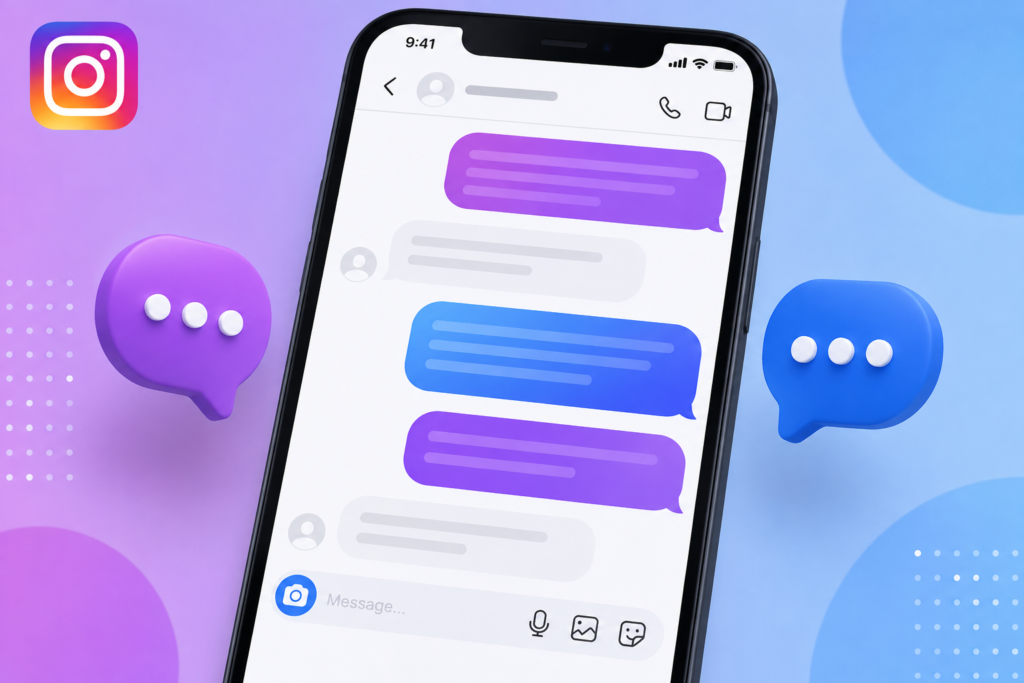
Instagram themes can be associated with individual conversations, so you shouldn’t expect every DM to have the same appearance.
Check the theme inside that conversation:
Open the chat → tap the person’s name → Theme
You should then be able to see which theme is currently selected and choose another available option.
Is Purple Instagram DM the Same as Vanish Mode?
No—not necessarily.
If your Instagram messages are purple, there’s usually nothing to worry about. It is most often caused by a chat theme, gradient, or a recent Instagram interface update. Purple messages do not mean you’ve been blocked, restricted, hacked, or that someone has a special feeling for you.
If you want to check your Instagram account or profile activity, you can also use reliable IG tools for basic insights and account-related information. If you don’t like the color, simply open the chat and check its Theme settings to choose another option.
In other words:
Purple color alone does not prove that Vanish Mode is enabled
Some online guides associate purple or dark gradients with disappearing-message features, but the color itself should not be treated as a definitive indicator.
Purple Instagram Messages vs. Blue Instagram Messages
The difference between purple and blue messages is usually visual rather than functional.
| Feature | Purple/Gradient DM | Traditional Blue DM |
|---|---|---|
| Main appearance | Purple, pink, or blue-purple gradient | More traditional blue appearance |
| Usually caused by | Chat theme or newer interface | Older/default-looking interface |
| Changes message content? | No | No |
| Means you are blocked? | No | No |
| Means your account is hacked? | No | No |
| Can it vary by conversation? | Yes | Yes |
| Can Instagram change it after an update? | Yes | Yes |
| Indicates a special relationship? | No | No |
The biggest misconception is that the purple color has a hidden meaning about the person you are chatting with. It doesn’t.
How to Change Instagram Messages From Purple to Default
If you don’t like the purple Instagram chat theme, you can usually change the appearance from the conversation’s theme settings.
Step 1: Open Instagram
Launch the Instagram app on your Android phone or iPhone.
Step 2: Open Your DMs
Go to your Direct Messages and select the conversation that appears purple.
Step 3: Open Chat Settings
Tap the person’s name or the chat information area at the top of the conversation.
Step 4: Find “Theme”
Look for the Theme option.
Step 5: Choose Another Theme
Select the default or another available theme.
The exact names and available designs can vary depending on your Instagram version and account. Instagram’s theme controls can include different colors, gradients, and themed designs.
What If the Purple Color Won’t Go Away?
If you’ve selected a different theme but your Instagram messages still appear purple, try these troubleshooting steps.
Update Instagram
Open the Google Play Store or Apple App Store and check whether an Instagram update is available. An outdated app can sometimes display interface features differently.
Restart Instagram
Completely close Instagram and reopen it. This can resolve temporary interface glitches.
Restart Your Phone
A simple phone restart can sometimes fix temporary app or display problems.
Clear Instagram Cache on Android
On Android, you can generally go to:
Settings → Apps → Instagram → Storage → Clear Cache
The exact menu names may differ between Android manufacturers.
Check Another Conversation
Open another DM. If only one conversation is purple, the issue is probably related to that conversation’s theme rather than your entire Instagram account.
Log Out and Log Back In
If the appearance is inconsistent across your account, signing out and signing back in can refresh your session.
Reinstall Instagram
If the problem continues after updating and restarting, reinstalling the app can help eliminate corrupted local app data.
Contact Instagram Support
If unusual colors are accompanied by actual account problems—such as unknown logins, messages you did not send, changed account information, or other suspicious activity—treat that as a security issue rather than a simple color problem.
Does Purple Instagram DM Mean You Have Been Blocked?
No.
A purple message bubble does not mean that someone has blocked you. Blocking affects your ability to interact with another account; it is not communicated through a purple message color. If you’re trying to determine whether someone has blocked you, you need to look at other account-level signs rather than the color of your DM.
Does Purple Mean Someone Restricted You?
No, not by itself.
Instagram’s Restrict feature and chat appearance are different things. A purple chat theme should not be interpreted as evidence that someone has restricted your account. Again, the color is primarily a visual element.
Does Purple Mean My Instagram Account Has Been Hacked?
Usually, no.
A purple DM alone is not evidence of hacking. If your messages are purple but everything else on your account works normally, there is generally no reason to assume that your account has been compromised.
However, take action if you notice genuine security warning signs, such as:
- Login alerts you don’t recognize
- Unknown devices accessing your account
- Messages you didn’t send
- Changes to your email or phone number
- An unfamiliar password reset
- Suspicious account activity
In those circumstances, review your Instagram security settings, secure your account, and enable two-factor authentication.
Does Instagram Purple Message Mean Someone Likes You?
No. This is another popular misconception.
A purple message does not mean:
- Someone likes you
- Someone has a crush on you
- Someone is flirting with you
- You are someone’s favorite person
- The person has given you a special DM status
Instagram chat colors are not a reliable way to interpret another person’s feelings. If someone changes a chat theme, it simply changes the appearance of the conversation.
Does the Purple Color Change the Message Itself?
No.
A chat theme changes the visual appearance of the conversation. It does not change the actual text, images, Reels, posts, or other content you send. Changing from purple to blue does not make your message more private, more important, or more visible to the other person.
Why Do My Friend’s Instagram Messages Look Blue While Mine Are Purple?
This can happen because Instagram features are not always identical across accounts.
Possible reasons include:
- Different chat themes
- Different Instagram app versions
- Gradual feature rollouts
- Different devices
- Different account-level experiments
- Different conversations having different themes
Therefore, comparing your Instagram DM color with your friend’s is not a reliable way to determine whether something is wrong.
Why Did My Instagram DMs Turn Purple Overnight?
If the color changed overnight without you touching the settings, don’t panic.
The most likely explanations are:
- Instagram updated its interface
- A new feature was rolled out to your account
- A chat theme was changed
- The app refreshed its messaging design
- A temporary display/cache issue occurred
The first thing to check is whether all chats changed or only one. If only one chat changed, check its theme. If all chats changed, check for an Instagram update and restart the app.
What Is Missing From Most Guides About Purple Instagram Messages?
Many articles focus only on saying “purple means a chat theme.” That’s useful, but it doesn’t completely answer the questions users actually have. A better explanation should distinguish between chat themes, interface rollouts, disappearing messages, account security, blocking, and device-specific behavior.
Here is the practical breakdown:
| User’s Question | What You Should Actually Check |
|---|---|
| Why is one chat purple? | Check that conversation’s theme |
| Why are all chats purple? | Check Instagram updates/interface changes |
| Why is it purple and blue? | Look for a gradient theme |
| Does purple mean blocked? | No; color isn’t a blocking indicator |
| Does purple mean hacked? | Not by itself |
| Is purple automatically Vanish Mode? | No; check message behavior |
| Why does my friend’s Instagram look different? | Different theme, rollout, app version, or device |
This distinction is important because it prevents users from confusing a cosmetic feature with an account-status signal.
Is There Any Security Risk With Purple Instagram Messages?
In normal circumstances, no.
The color of your Instagram DM does not itself indicate that someone has accessed your account. But don’t ignore other suspicious activity simply because the color change looks harmless. If you notice a purple DM plus an unknown login, unauthorized message, changed password, or unfamiliar account activity, investigate the security issue separately.
Think of it this way:
Purple color = usually appearance
Unknown account activity = possible security concern
Those are two different things.
Final Verdict: Why Are My Instagram Messages Purple?
If your Instagram messages are purple, there’s usually nothing to worry about. It is most often caused by a chat theme, gradient, or a recent Instagram interface update. Purple messages do not mean you’ve been blocked, restricted, hacked, or that someone has a special feeling for you. If you don’t like the color, simply open the chat and check its Theme settings to choose another option.
In short, purple Instagram messages are usually just a visual change—not a hidden message or warning.
FAQs About Purple Instagram Messages
Why are my Instagram messages purple?
Your Instagram messages are usually purple because the conversation is using a purple or gradient chat theme, or because Instagram has introduced a messaging interface change to your account.
What does purple mean on Instagram DM?
Purple generally represents a visual chat theme or gradient. It does not have a special hidden meaning about your relationship with another user.
Why are my Instagram messages purple and blue?
Purple and blue can appear together when Instagram uses a gradient-based chat theme. It is generally a visual design choice rather than a special message status.
Why is only one Instagram chat purple?
The individual conversation may have a different chat theme. Open that DM, tap the chat name, and check the Theme settings.
Can I change my purple Instagram messages back to blue?
Usually, yes. Open the conversation, access its Theme settings, and select the default or another available theme.
Does a purple Instagram DM mean I have been blocked?
No. A purple message color is not an indication that someone has blocked you.
Does purple Instagram DM mean I have been restricted?
No. Restriction is separate from chat themes and message colors.
Does purple mean someone likes me on Instagram?
No. Instagram does not use purple DM bubbles as an indicator of romantic interest.
Does purple mean my Instagram account has been hacked?
Not by itself. A purple DM is usually a visual feature. Look for genuine security warnings or unauthorized activity if you suspect your account has been compromised.
Are purple Instagram messages a bug?
Usually not. Purple messages are commonly associated with chat themes, gradients, or Instagram’s evolving messaging interface. If the color appears alongside other technical problems, troubleshooting may help.
Why did my Instagram messages suddenly turn purple?
The change may have occurred because Instagram updated its messaging interface, rolled out a new feature, or changed the appearance of a particular conversation.
Why are my friend’s Instagram DMs blue but mine are purple?
Your friend may have a different chat theme, app version, device, or feature rollout. Instagram does not guarantee that every account will display identical messaging features at the same time.
Does changing the Instagram theme affect my messages?
No. Changing the theme changes the visual appearance of the conversation. It does not rewrite or alter the content of your messages.
Is purple Instagram DM available on iPhone and Android?
Chat themes and messaging features can be available across both platforms, but the exact appearance and availability can depend on your Instagram version, device, and account rollout.
Why did only my message bubble turn purple?
Your outgoing message bubble may be displaying the active conversation theme or gradient. Check the chat’s Theme settings to confirm.
Can the other person change my Instagram chat color?
A chat theme applies to the conversation, so a change made within the chat can affect how the conversation appears to both participants.
Why is my Instagram DM purple after updating the app?
An app update can introduce a new messaging interface, theme, or visual design. If the change appeared immediately after updating Instagram, the update may be responsible.
What should I do if I don’t like the purple Instagram theme?
Open the affected conversation, go to its Theme settings, and select another available theme. If the option is unavailable or the appearance seems incorrect, update Instagram and restart the app.
What should I do if the purple color comes with suspicious account activity?
Treat the suspicious activity separately from the color. Review your account security, secure your password, check logged-in devices, and enable two-factor authentication.
Will reinstalling Instagram remove a purple chat theme?
Not necessarily. If the theme is stored as a conversation setting, reinstalling the app may not remove it. Check the chat’s Theme option first.
Is there a secret meaning behind purple Instagram messages?
No reliable evidence suggests that purple message bubbles have a secret relationship, emotional, or account-status meaning. They are primarily part of Instagram’s visual messaging experience.